

GoCardless


Two Minute Billing collects bank Direct Debits through your GoCardless account: Bacs in GBP, SEPA in EUR, ACH in USD, BECS in AUD, BECS NZ in NZD, PAD in CAD, Autogiro in SEK and Betalingsservice in DKK. In Australia it also takes PayTo. The customer sets up a mandate once on GoCardless's page, and Two Minute Billing debits each renewal against it. You keep your GoCardless rates, and GoCardless pays out to your bank as usual.
Before you start
- A GoCardless account. The sandbox (
manage-sandbox.gocardless.com) and the live dashboard (manage.gocardless.com) are separate accounts with separate access tokens. Connect the sandbox token to a test business and the live token to a live business. - Refunds must be enabled on your GoCardless account. See Permissions. By default, GoCardless refunds a payment only 7 days after its charge date.
- You need permission to manage payment gateways in Two Minute Billing. The owner and admin roles have it.
Find your API keys
In the GoCardless dashboard, open Developers, click Create and select Access token. Give the token a name and select read-write access. Copy the token at once: GoCardless does not show it again.
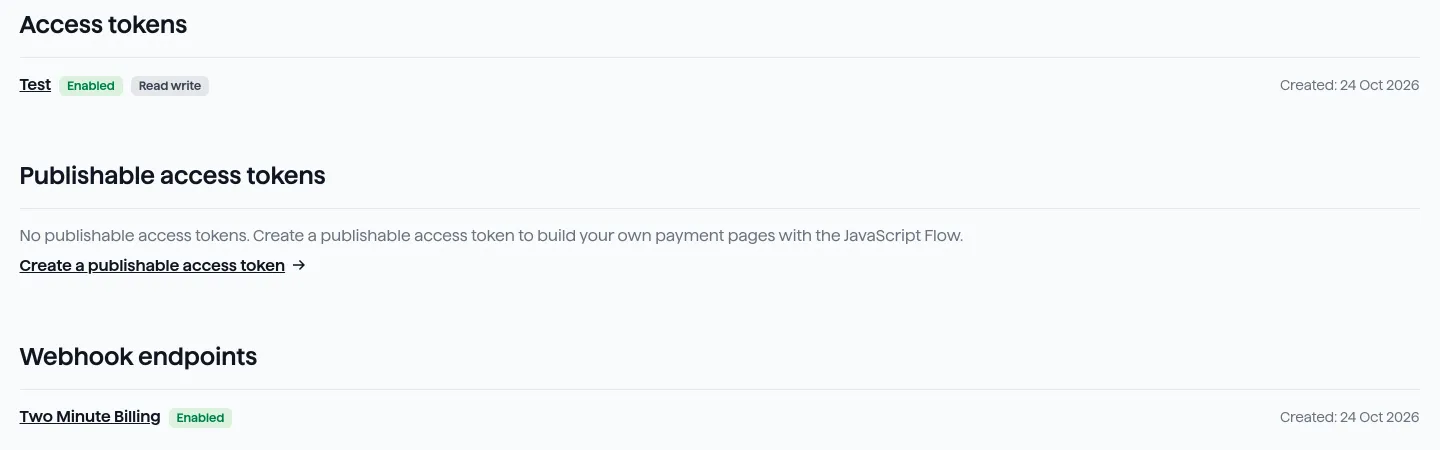
You need one value:
| Field | Where to find it | Looks like |
|---|---|---|
| Access Token | GoCardless Dashboard → Developers → Create → Access token. Select read-write access. | live_… |
| PayTo purpose code | Optional. Only for PayTo. The payer's bank shows this category on the agreement. Type one of: mortgage, utility, loan, dependant_support, gambling, retail, salary, personal, government, pension, tax, other. If you leave this field empty, we use retail. | retail |
Permissions
- Access token: read-write access. It has every permission Two Minute Billing needs.
- Refunds: in GoCardless, open Settings → Company settings → Refunds and click Enable refunds. Only an account admin sees this option. Check credentials shows whether refunds are enabled.
- Webhook: you add the webhook endpoint in GoCardless and paste its secret into Two Minute Billing. No other permission is necessary.
Connect it in Two Minute Billing
- Open Settings → Payment gateways and click Add gateway.
- Select GoCardless and paste the Access Token.
- Select the currencies and the payment methods this account handles.
- Click Create gateway account.
Then open the account and click Check credentials. Healthy means GoCardless accepted the token. The result also says whether refunds are enabled on your GoCardless account.
The payment methods you can turn on for GoCardless:
- Direct Debit (Bacs) — UK only, GBP. The debit settles asynchronously.
- Direct Debit (SEPA) — EUR only. The debit settles asynchronously.
- Direct Debit (ACH) — US only, USD. The debit settles asynchronously.
- Direct Debit (BECS) — Australia only, AUD. The debit settles asynchronously.
- Direct Debit (BECS NZ) — New Zealand only, NZD. The debit settles asynchronously.
- Pre-authorized debit (PAD) — Canada only, CAD. If the customer has a company name, the mandate is a Business PAD. The debit settles asynchronously.
- Direct Debit (Autogiro) — Sweden only, SEK. The payer signs the mandate with BankID. The debit settles asynchronously.
- Direct Debit (Betalingsservice) — Denmark only, DKK. Betalingsservice collects once each month on a fixed cycle, so a payment can arrive some weeks after the invoice date. The payer gives their CPR or CVR number on the GoCardless page.
- PayTo — Australia only, AUD. The payer approves the agreement in their banking app. The agreement has a maximum amount for each payment. We do not collect an invoice above that amount.
Each scheme debits in its own currency, so a customer pays by a scheme only when the invoice is in that currency. When an Australian customer can use both BECS and PayTo, the customer selects one; without a selection, we set up BECS. GoCardless asks the payer for what each scheme needs on its own page: a BankID signature for Autogiro, the CPR or CVR number for Betalingsservice, and an approval in the banking app for PayTo. You do not collect these numbers yourself.
When a debit is collected:
- Most schemes collect on the invoice due date, or on the first date the scheme allows after its notice period. GoCardless tells the payer before each debit.
- Betalingsservice collects once each month on a fixed cycle. GoCardless must receive the payment 8 working days before the month starts, so a renewal can arrive some weeks after the invoice date. A payment made in the sandbox on 28 October was collected on 1 December.
- PayTo has no notice period, and Two Minute Billing sends its own reminder before the debit. The agreement has a maximum amount for each payment. We set it from the customer's subscriptions, with room for growth. If an invoice is larger, we do not send the debit: the payment fails with a message, and the customer must approve a new agreement.
- PAD is a Business PAD when the customer has a company name, and a Personal PAD when not.
PayTo also needs a purpose code, which the payer's bank shows on the agreement. Type it in the
optional PayTo purpose code field. If you leave it empty, we use retail.
Currencies
Two Minute Billing offers these 8 currencies on GoCardless:
AUD, CAD, DKK, EUR, GBP, NZD, SEK, USD
Each Direct Debit scheme takes the currency of its country. To collect in a currency that is not your own, enable FX in GoCardless or add a payout bank account in that currency.
Each payment method takes one currency:
| Payment method | Currency |
|---|---|
| Direct Debit (Bacs) | GBP |
| Direct Debit (SEPA) | EUR |
| Direct Debit (ACH) | USD |
| Direct Debit (BECS) | AUD |
| Direct Debit (BECS NZ) | NZD |
| Pre-authorized debit (PAD) | CAD |
| Direct Debit (Autogiro) | SEK |
| Direct Debit (Betalingsservice) | DKK |
| PayTo | AUD |
If you leave Currencies empty on the gateway account, the account takes each currency of your business that is on this list.
Webhooks
Every Direct Debit settles days after it is collected, and GoCardless tells Two Minute Billing how it ended: a debit that is confirmed or fails, a refund, a chargeback, a mandate that the customer cancels. Add the webhook before you collect the first payment.
GoCardless does not let Two Minute Billing register the webhook, so you add it in GoCardless yourself.
- In GoCardless: go to Developers → Webhook endpoints → Create.
- Enter this URL in the URL field: the notification URL on the gateway account page
- Click Create. Then copy the secret that GoCardless shows for the endpoint.
- Paste the secret on the gateway account page and click Save.
Test it
In your test business, create a customer and set up a mandate for it. On GoCardless's sandbox page, use GoCardless's test bank details for the scheme:
| Scheme | Test bank details |
|---|---|
| Bacs | Sort code 200000, account number 55779911 |
| SEPA | IBAN DE89370400440532013000 |
| ACH | Routing number 026073150, account number 2715500356, checking |
| BECS and PayTo | BSB 082-082, account number 012345678 |
| BECS NZ | Bank 12, branch 3113, account number 0003869-00 |
| PAD | Institution 0003, transit 00006, account number 1234567 |
| Autogiro | Clearing number 5491, account number 0000003, personnummer 198112289874 |
| Betalingsservice | Registration number 345, account number 3179681, CPR number 0101701234 |
Collect an invoice in the scheme's currency: the payment stays pending until GoCardless confirms the debit, then the invoice is marked paid. Logs shows the call to GoCardless and GoCardless's answer.
To move a sandbox payment forward without waiting, use GoCardless's scenario simulators in the Developers section of the sandbox dashboard.
Go live
- In the live GoCardless dashboard, make an access token with read-write access.
- In your live business, add GoCardless with that token.
- Add the webhook in the live dashboard with the same steps as under Webhooks, and paste its secret on the live gateway account page.
Troubleshoot
- A refund is refused with "Your GoCardless balance for … refunds is …, which is less than the refund". GoCardless pays refunds from your GoCardless balance in that currency. Try again when collected payments have raised the balance. In the sandbox, the balance grows only from confirmed payments.
- A refund is refused with "GoCardless refunds a payment only 7 days after its charge date". The message says how many days are left. To remove this wait, contact GoCardless support.
- Check credentials says "refunds disabled". Enable refunds in GoCardless under Settings → Company settings → Refunds.
- Setting up PayTo fails with "PayTo needs a maximum amount for each payment". The request did not give a currency, so we could not calculate the maximum. Start the setup again from an invoice or a subscription in AUD.
- A PayTo payment fails because the invoice is above the agreement's maximum. The customer must approve a new agreement with a higher maximum. Ask them to add the payment method again.
- A Betalingsservice payment is still pending weeks after the invoice. This is normal: it waits for the next monthly collection date.
- A payment stays pending for longer than a few days. Without the webhook, Two Minute Billing learns the outcome only from a slower periodic check. Make sure the webhook exists in GoCardless and that its secret is saved on the gateway account page.
Related
Authorize.net
Connect your Authorize.net account to Two Minute Billing: find your API Login ID, Transaction Key and Signature Key, connect them, and let Two Minute Billing register the webhook. Cards and eCheck (US bank accounts).
Cashfree
Connect your Cashfree account to Two Minute Billing: find your App ID and Secret Key, connect them, and add the two webhooks in Cashfree. UPI Autopay, eNACH and card mandates in INR, and card mandates in USD and EUR.