

Recurring invoicing
Recurring invoices raised on each renewal date, with tax and credit applied
Two Minute Billing raises each subscription's invoice on its renewal date, with tax, discounts and credit applied. Invoices share one continuous number series per business and go out as your branded PDF. A correction is a credit note, never an edit.
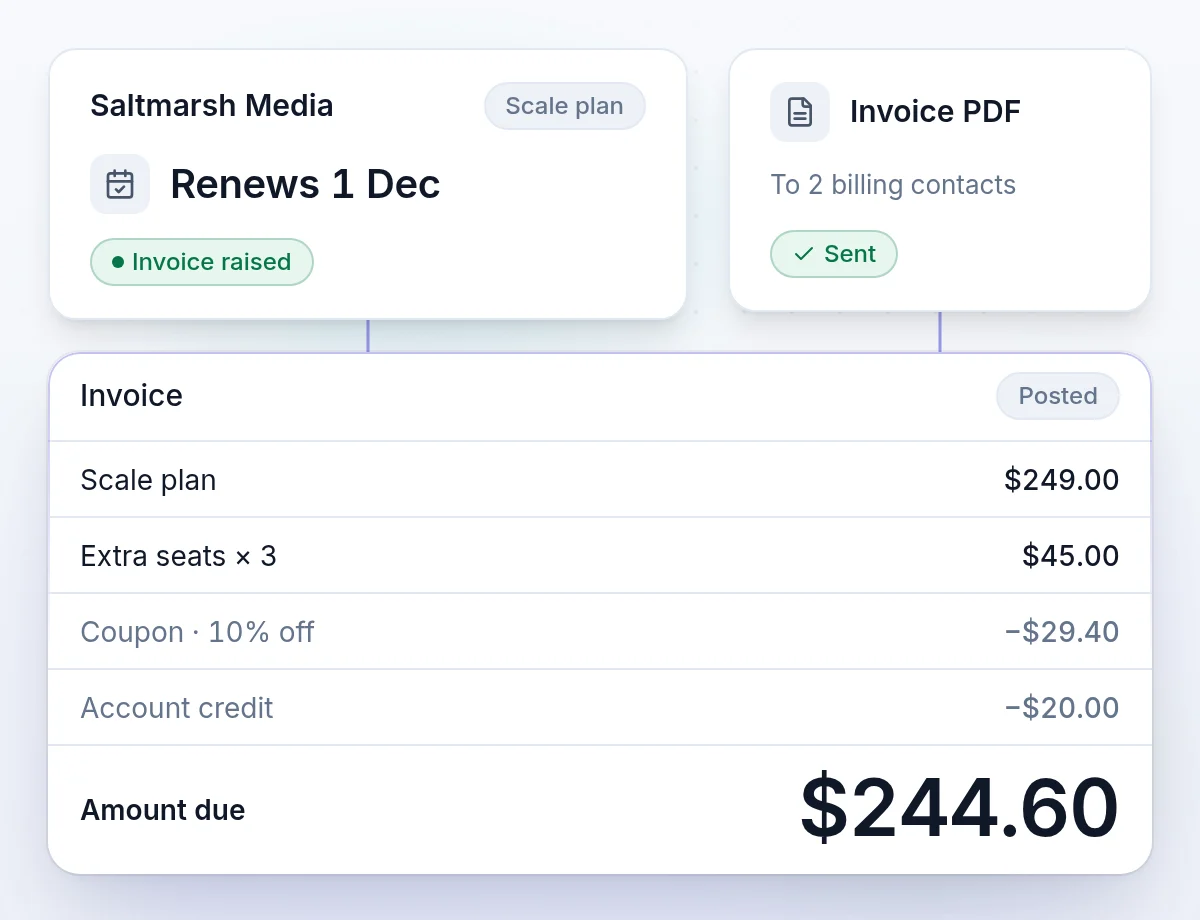
Invoices in one number series, with amounts that do not change after issue
An invoice that changes after it is sent breaks your revenue figures and your customer's books at once. These rules keep both in step.
One continuous number series
Invoices are numbered in one continuous series, so an auditor reads them in order.
One status that everyone reads the same
Your team, your customer and your webhooks see the same state of each invoice.
An issued amount never changes
A correction is a credit note with its own reason. The original stays as it was sent.
Invoice status
Every invoice has one clear status
Six states, read the same way by your team, your customer and your webhooks.
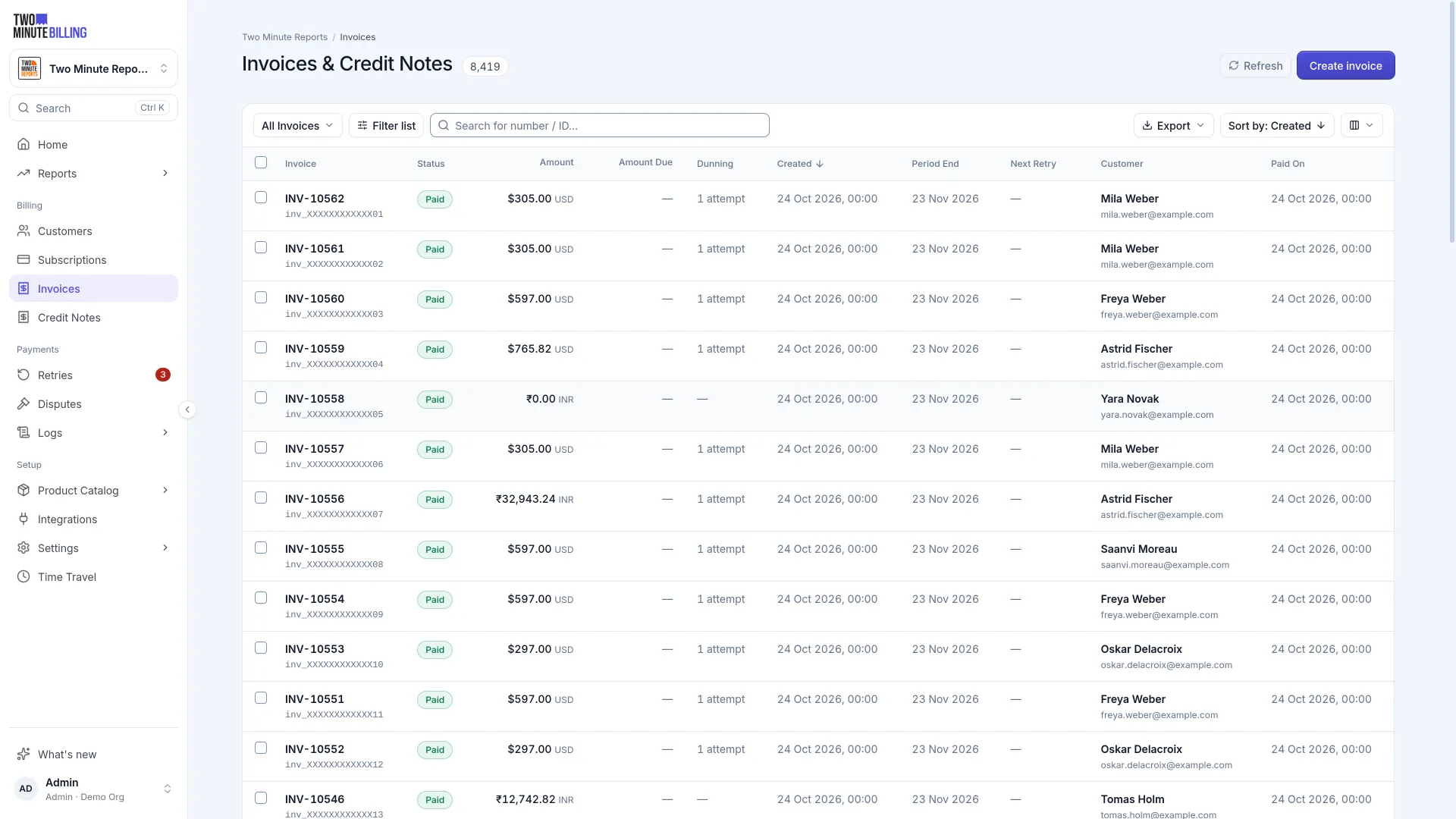
Open and still collecting usage and charges.
Finalized. Lines, tax and total are fixed.
Owed: past its due date, or collection failed.
Retries ran out without a payment.
Settled.
Cancelled, with its accounting reversed.
Credit notes
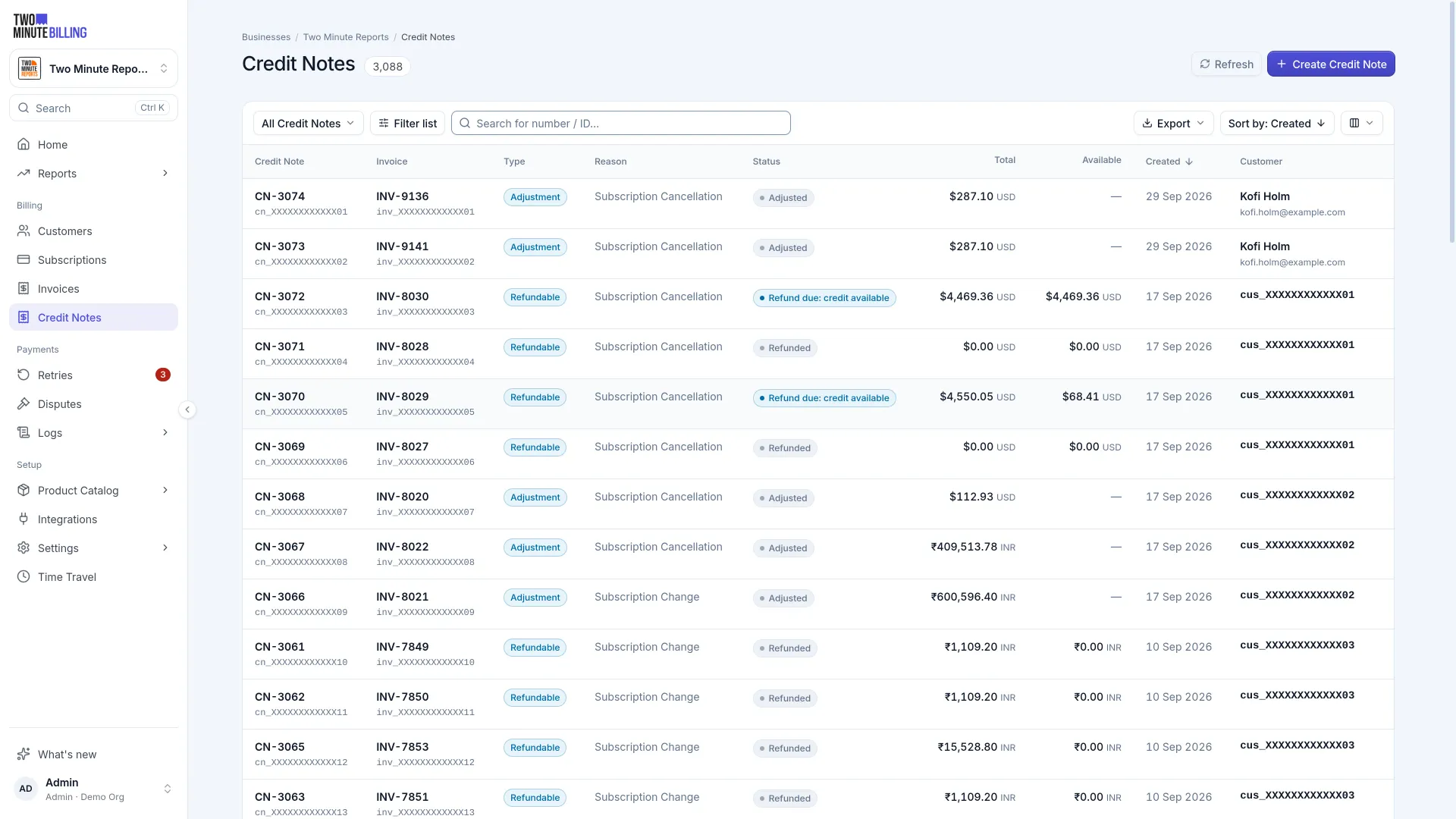
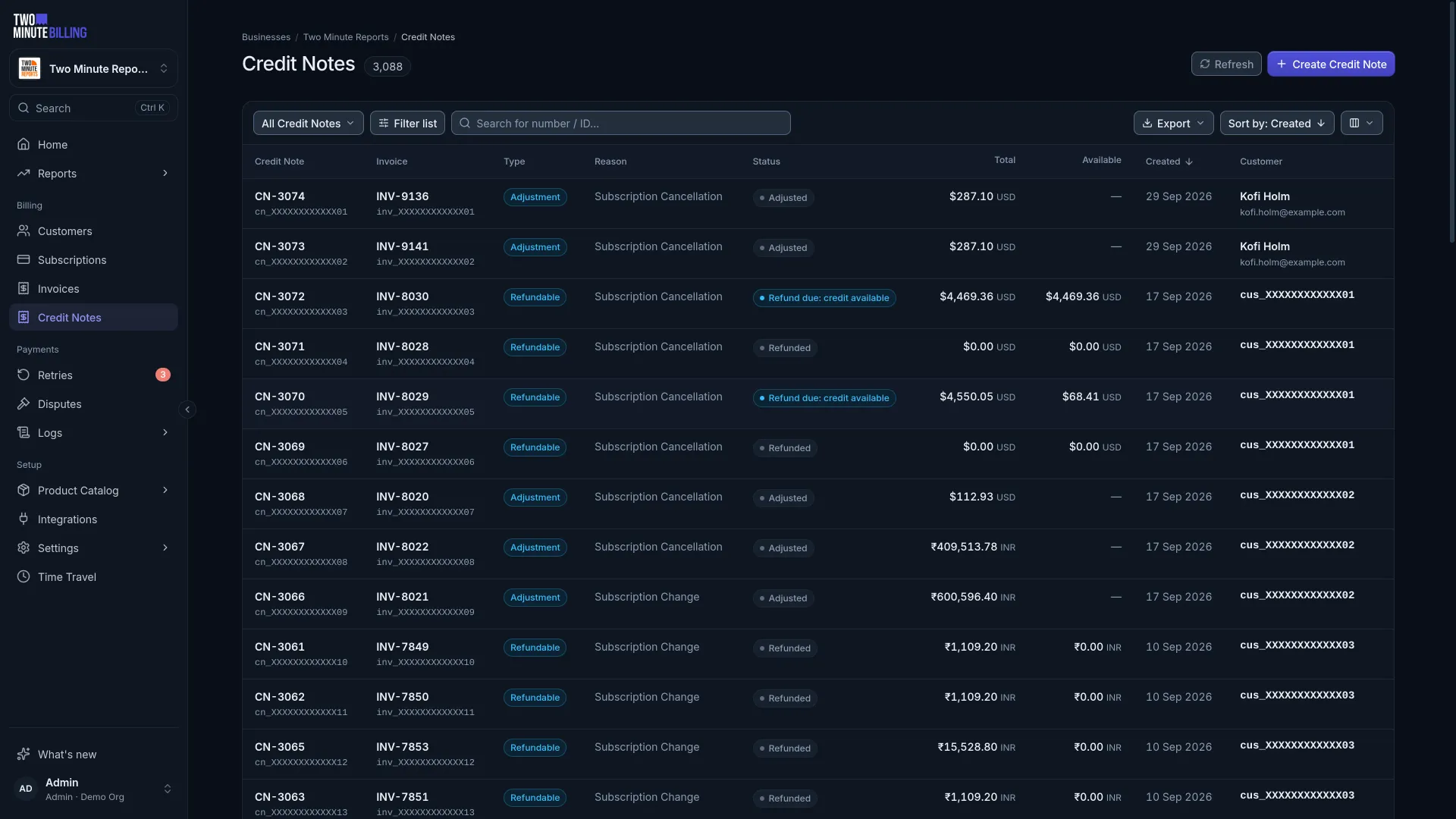
Correct an issued invoice with a credit note, a void or a write-off
Issued amounts never change. Each correction is its own document with its own reason, so the record still explains itself a year later.
- Adjustment credit noteThe invoice is unpaid and the customer should owe less. It reduces what is owed.
- Refundable credit noteThe invoice was paid and you owe money back. It becomes credit, which you can refund to the card.
- VoidFor an invoice that should never have existed. The accounting reverses and a used coupon is returned.
- Write offYou have given up on an unpaid invoice. It is recorded as bad debt, with the reason kept.
Collection
Collect by saved card, by invoice with net terms, or by bank transfer
Card on file for self-serve customers. An invoice with net terms for the ones whose accounts team pays by bank transfer.
- Charged automaticallyThe saved card or mandate is charged when the invoice posts, through your own gateway.
- Sent with payment termsFor customers who pay by transfer, send the invoice with net terms instead of charging a card.
- Paid outside the systemRecord a bank transfer or a cheque. The invoice is marked paid without touching a card.
- Credit applied firstPromotional credit, refundable credit and earlier overpayments come off before anything is charged.
The document
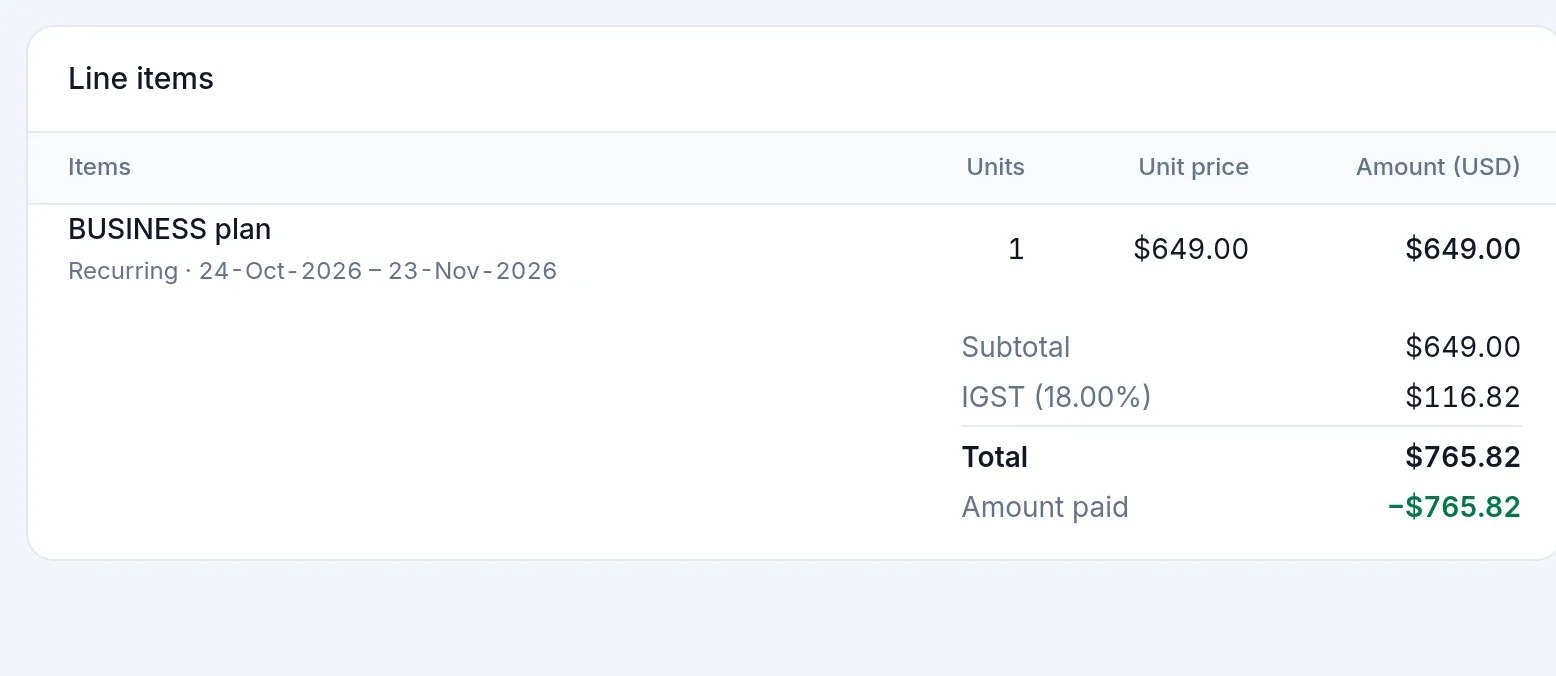
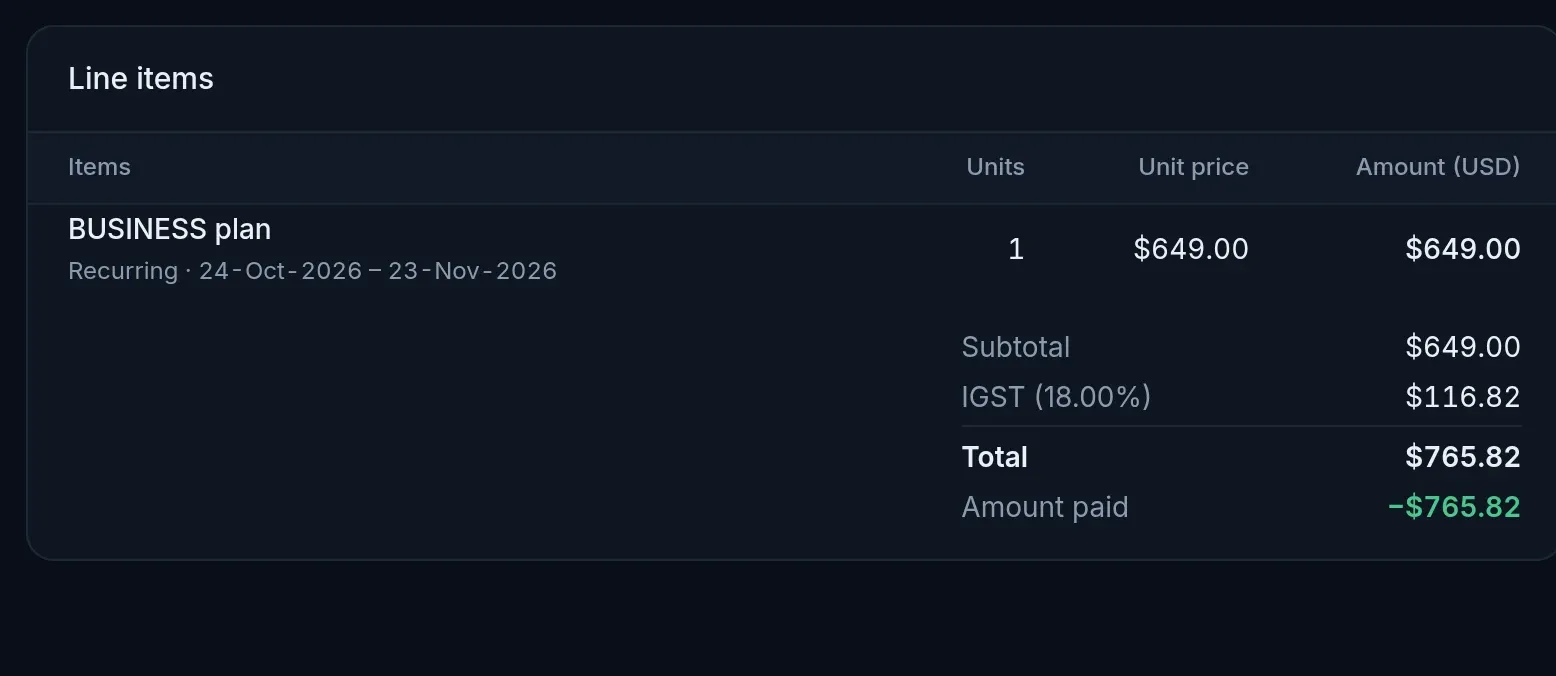
A branded invoice PDF, fixed as of its issue date
Each invoice records its tax, rates and addresses as they were that day. Changing a customer's address later does not rewrite a document they already have.
- Your brand on every PDFYour logo, icon and brand color on every invoice PDF.
- One number seriesOne continuous invoice number series per business.
- A snapshot at issueThe address, tax and rates as they were on the day of issue.
- Copies to billing contactsThe customer's other billing contacts get the invoice too, with the PDF attached when you select it.
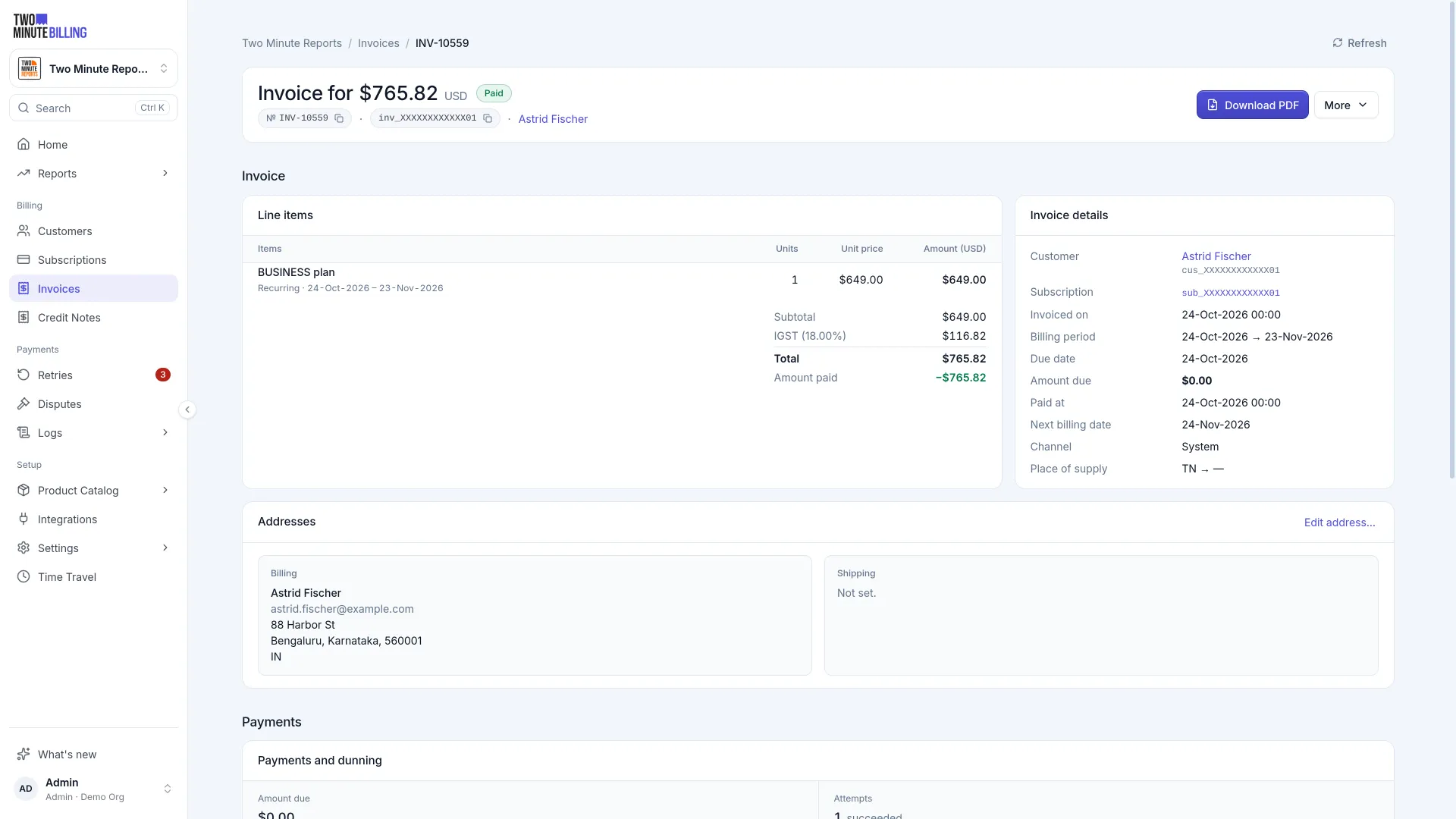
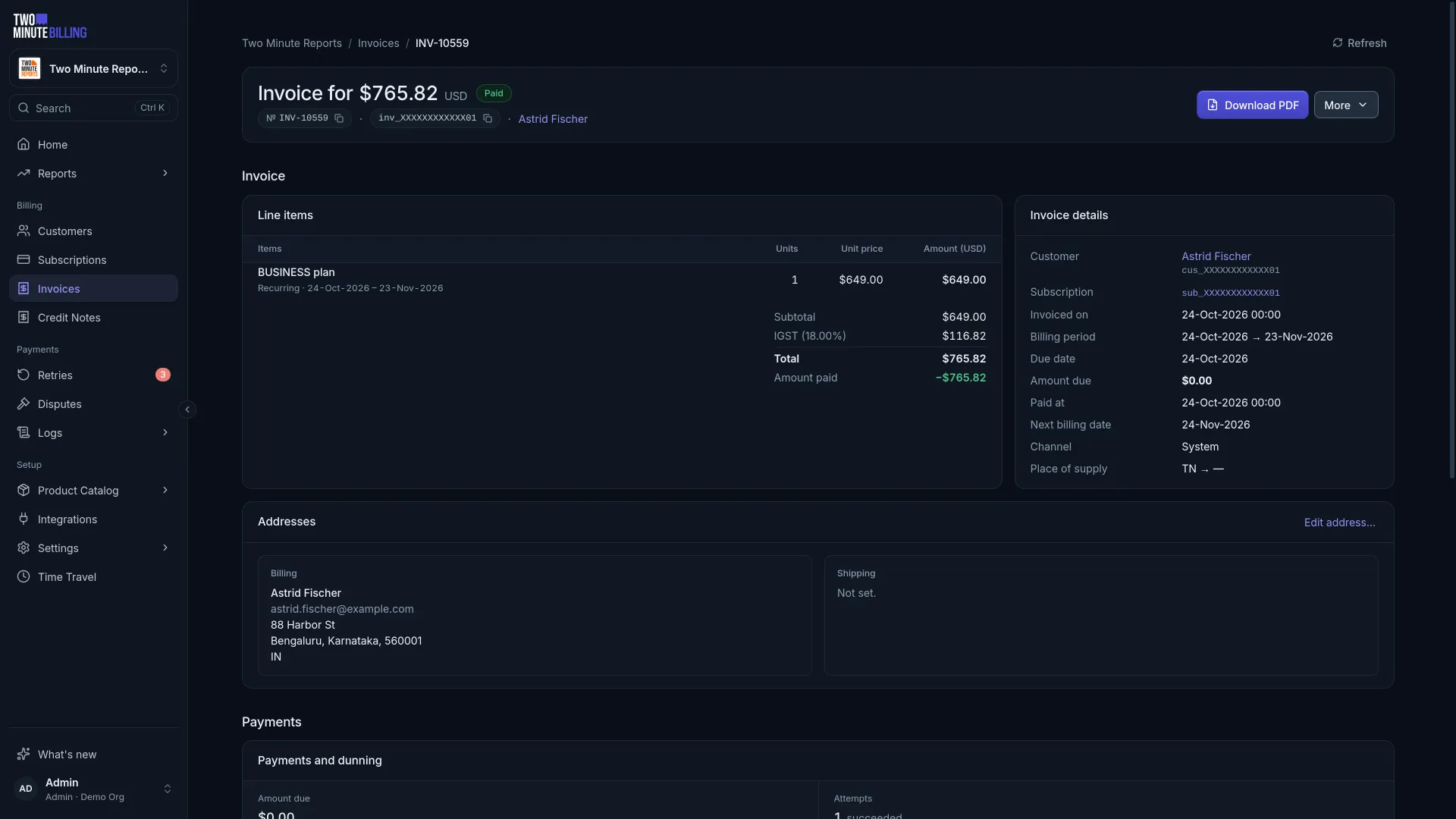
From renewal date to paid invoice
- Step 1
The renewal date arrives
The invoice is raised with the plan, add-ons, last period's usage, discounts and credit.
- Step 2
Tax is worked out
Per line and per component, then the lines, tax and total are fixed.
- Step 3
It is collected
The saved card or mandate is charged, or the invoice is sent with payment terms.
- Step 4
Corrections follow
A credit note reduces or refunds it, with its own number and reason.
Money you can trace, cards you never hold
How we keep billing safeAn append-only ledger
Balances come from double-entry records. A correction is a new entry, so every figure traces back to the rows behind it.
PCI DSS SAQ-A scope
Card numbers go from the browser straight to your payment gateway. They never reach our servers or yours.
An audit log
Who changed what, from the dashboard or the API, with the values before and after.
Recurring invoicing questions
More of the product
Raise your first invoice today
Sign up free, subscribe a test customer and open the PDF with your own logo on it.